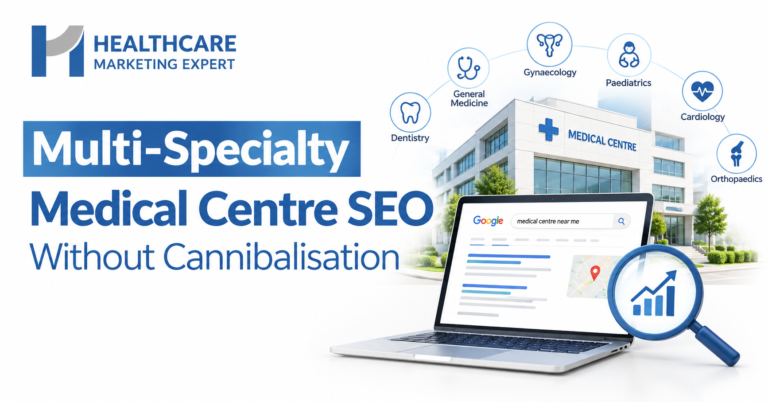
A multi-specialty medical centre can rank for 10 or more departments by giving each search topic one clear owner page. That means a hub for each department, separate pages for conditions and treatments, clear rules for shared topics, and strong internal links. As a result, your pages support each other in Google instead of competing.
Multi-specialty medical centres in the UAE often offer ten, twenty or more departments. However, many of their pages end up fighting each other in Google. This problem is called keyword cannibalisation. This guide explains why it happens. It also shows you how to structure your site so every department can rank.
What Is Keyword Cannibalisation?
Keyword cannibalisation happens when two or more pages on one website target the same search. Google then struggles to choose the best page. In short, your own pages split your traffic, and often none of them ranks as well as one strong page would.
Why Multi-Specialty Centres Face This Problem
Different departments often treat the same problems. So their pages naturally overlap. For example:
| Search Topic | Departments That Overlap | Typical Risk |
| Knee pain | Orthopaedics, physiotherapy, sports medicine | Three pages chase one search |
| Acne scars | Dermatology, aesthetics | Two pages compete for treatment searches |
| PCOS | Gynaecology, endocrinology, fertility | Patients land on the wrong department |
| Snoring | ENT, dentistry, sleep medicine | Google swaps ranking pages often |
| Back pain | Orthopaedics, neurology, physiotherapy | No single page ranks well |
Also, doctor profiles, blog posts and offer pages add more overlap. As a result, a large centre can have five pages that all target the same search without anyone noticing.
Signs Your Pages Are Competing
- Google Search Console shows several of your URLs for the same search term.
- The ranking page for a keyword keeps changing week to week.
- A blog post outranks the main department page.
- Rankings sit on page two for important terms, even with good content.
- Patients book with the wrong department after reading the wrong page.
Therefore, check Search Console first. Filter by a key search term, then open the Pages tab. If you see more than one page, you likely have a cannibalisation issue.
The Right Site Structure for 10+ Departments
A clear structure solves most problems before they start. The best model works like a family tree.
Level 1: Department Hubs
Give each department one main hub page, such as /orthopaedics/ or /dermatology/. The hub targets broad searches like “orthopaedic clinic Dubai”. It also links to every page below it.
Level 2: Condition and Treatment Pages
Next, create one page for each key condition or treatment inside that department. For example, /orthopaedics/knee-replacement/ targets knee replacement searches only. Each page answers one clear need.
Level 3: Doctor Profiles
Doctor pages should target the doctor’s name and specialty. They should not try to rank for treatments. Instead, they link to the treatment pages the doctor performs.
Level 4: Blog and Education Content
Blog posts should answer questions, such as “How long does knee replacement recovery take?”. Then they link back to the matching treatment page. That way, the blog supports the service page instead of competing with it.
Location Pages
If you have several branches, give each branch its own location page. Then list the departments available at that branch and link to the main department hubs.
How to Handle Shared Topics
Shared topics cause the most cannibalisation. So set a simple ownership rule.
- Choose one owner page for each shared topic, based on who leads the patient’s care.
- Give other departments a short section that explains their role.
- Link from those sections to the owner page with clear anchor text.
- Alternatively, create a neutral condition guide that explains every option and links to each department.
For instance, a “knee pain” guide can explain when to see orthopaedics, physiotherapy or sports medicine. Then each department page targets its own specific treatments.
How to Fix Existing Cannibalisation: Step by Step
- List all your pages. Export every URL from your website and group them by department.
- Map keywords to pages. Assign one main search topic to each page. Next, highlight any topic with more than one page.
- Check real data. Use Google Search Console and a rank tracker to confirm which pages compete.
- Choose a winner. Pick the strongest page for each topic, based on traffic, links and quality.
- Merge or refocus the others. Combine thin pages into the winner and add 301 redirects. Alternatively, change the losing page to target a different, more specific topic.
- Update internal links. Point all related links to the winning page with consistent anchor text.
- Fix titles and headings. Make sure each page has a unique title and H1 that match its one topic.
- Add schema markup. Use MedicalClinic or Hospital schema with department details, plus Physician schema for doctors.
- Monitor results. Track rankings and clicks for each department every month. Finally, repeat the audit every six months.
Google Business Profile for Multi-Specialty Centres
Google Business Profile can also create overlap. Google’s guidelines allow some hospital departments and individual practitioners to have their own profiles. However, too many similar profiles can confuse patients and split reviews.
- Keep one main profile for each physical location.
- Only create department profiles where a department has its own entrance, hours or phone number.
- Choose different primary categories for each profile.
- Link each profile to the matching department page, not the homepage.
What Makes This Different in the UAE
UAE medical centres face extra layers. For example:
- Language: build Arabic and English versions with correct hreflang tags, so the two versions do not compete.
- Insurance: many patients search by insurer, so add insurance details to each department page.
- Licensing: show each doctor’s DHA, DoH or MOHAP licence details on their profile.
- Advertising rules: check health authority approval rules before promoting departments in paid adverts.
- Branches: many centres run branches across several emirates, so location pages need clear boundaries.
Aligning Paid Search With Your Structure
Paid adverts can overlap too. So run separate Google Ads campaigns for each department. Then add negative keywords so one department’s adverts do not trigger for another department’s searches. As a result, you control budgets and send each patient to the right page.
Measuring Results by Department
Good structure also makes reporting easier. So track each department as its own unit. For example, group URLs by folder in Google Search Console and your analytics tool. Then compare clicks, rankings, calls, WhatsApp chats and bookings for each department. In addition, give each department lead a simple monthly report. As a result, teams can see which pages need attention and which content brings real patients.
Key Benefits of a Clean Department Structure
- Every department can rank for its own searches.
- Stronger pages instead of many weak ones.
- Patients land on the right department first time.
- Clearer reporting on which departments grow.
- Better chances of citations in AI search tools.
- Easier content planning for each department team.
Frequently Asked Questions
What is keyword cannibalisation in healthcare SEO?
It happens when several pages on one medical website target the same search. As a result, the pages compete and often rank lower.
How do I find cannibalisation on my site?
Check Google Search Console for search terms that show several of your URLs. Also, watch for ranking pages that keep changing.
Should each department have its own page?
Yes. Each department needs one hub page, plus separate pages for its main conditions and treatments.
Can doctor profiles cause cannibalisation?
Yes, if they target treatment keywords. So keep doctor pages focused on the doctor’s name and specialty.
Should I delete competing pages?
Not always. Often you should merge them into the stronger page and add a 301 redirect.
Do Arabic pages compete with English pages?
They should not if you use hreflang tags correctly. These tags tell Google which language version to show.
How long do fixes take to work?
Many sites see ranking changes within a few weeks. However, full results usually take two to three months.
Final Thoughts
Ranking for 10 or more departments is possible, but it needs a clear plan. First, give every topic one owner page. Then build department hubs, focused treatment pages and supportive blog content. Also, align your Google Business Profiles and paid adverts with the same structure. Over time, your departments will support each other instead of competing.
Grow Every Department with Healthcare Marketing Expert
Healthcare Marketing Expert helps multi-specialty medical centres across the UAE rank every department without pages competing. We audit your site for cannibalisation, map keywords to the right pages, and build a clear structure for Arabic and English content. First, we review your departments, rankings, and Google profiles. Then, we give you a clear plan to fix overlaps and grow each service line. Book your free multi-specialty SEO audit with Healthcare Marketing Expert today.
Also read: Veterinary Clinic Marketing: Applying Healthcare SEO Principles to Pet Care